CASE STUDY · FLAM · JUN 2025 – JAN 2026
7 months. 2 modules shipped. 100% platform redesigned.
COMPANY
Flam — Mixed Reality platform
ROLE
Product Design Intern
DURATION
7 months
SCOPE
Web tool, Mobile app, Design system, Responsive
2
modules shipped
20+
screens redesigned
20+
design components built
4K
max display scaled to
CONTEXT
What is Flam?
Flam is a self-serve platform that lets brands launch Mixed Reality campaigns — without needing a 3D team. A brand uploads content, sets it up through a web tool, and their audience scans a QR code to see the experience in AR.
THE PRODUCT
Campaign creation web tool
Brands build and manage their MR campaigns here. From uploading content to publishing — all self-serve.
THE EXPERIENCE
Mixed Reality viewer
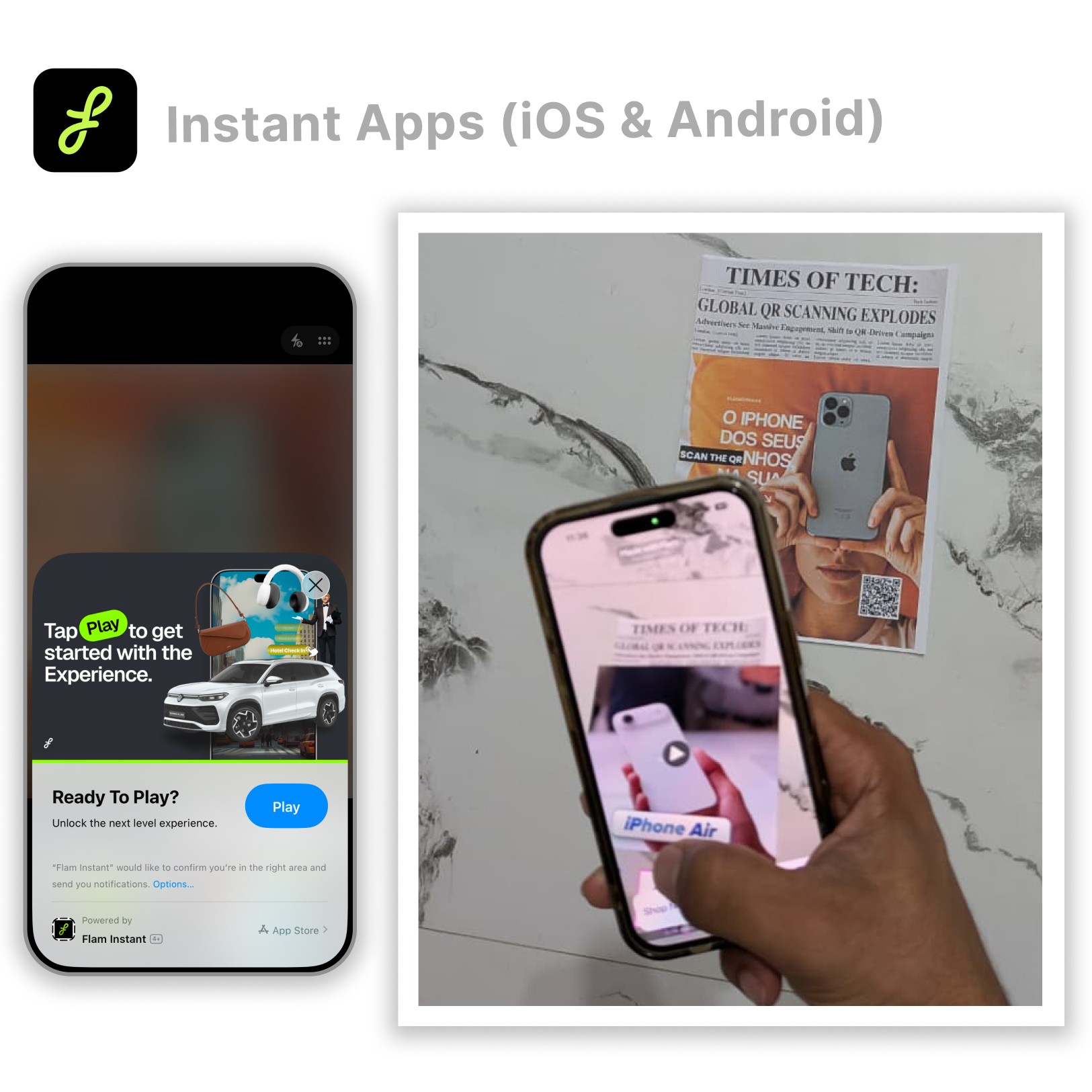
The audience scans a QR code. A spatial experience opens instantly — no app download needed.
My work covered — Interactive MR tool · Campaign viewer app · Full platform redesign · Design system · Responsive scaling (2K–4K)
PHASE 01 · INTERACTIVE MODULE
Making MR ads you can choose
Flam's ads worked — scan a QR code, see a brand's content in mixed reality. But the user could only watch. We asked: what if they could decide what they see next?
THE PROBLEM
Standard MR ads played a single video. Brands had multiple products to show but no way to let the audience explore. The experience felt passive. Engagement dropped fast.
"Users who chose what to watch next stayed 3× longer than those who just watched a linear video."
Two interactive modules — both under my ownership
PRISM
Print & media overlay
Trigger point is a physical surface — a poster, packaging, or magazine. Point your camera at it and the interactive MR experience overlays on top.
SPATIAL ALPHA
Anywhere in open air
No printed surface needed. The experience launches in open space — works anywhere. Built for digital-first and out-of-home campaigns.
HOW IT WORKS
A shoe brand wants to show four styles. Instead of one video, they upload four short clips — one per product. In AR, the user sees all four as tappable options. They pick one, it plays. Then a "Buy now" button links directly to that product page.
01
Scan QR code
From any surface or screen. No app download needed.
02
See options in AR
Product tiles appear in mixed reality. Tap one to play its video.
03
Choose — explore — buy
After the clip, a "Buy now" button redirects to the product page.
THE WEB TOOL — CAMPAIGN CREATION
Brands build these experiences through the web tool — no 3D knowledge needed. Stripped down to three steps so any marketing team can use it.
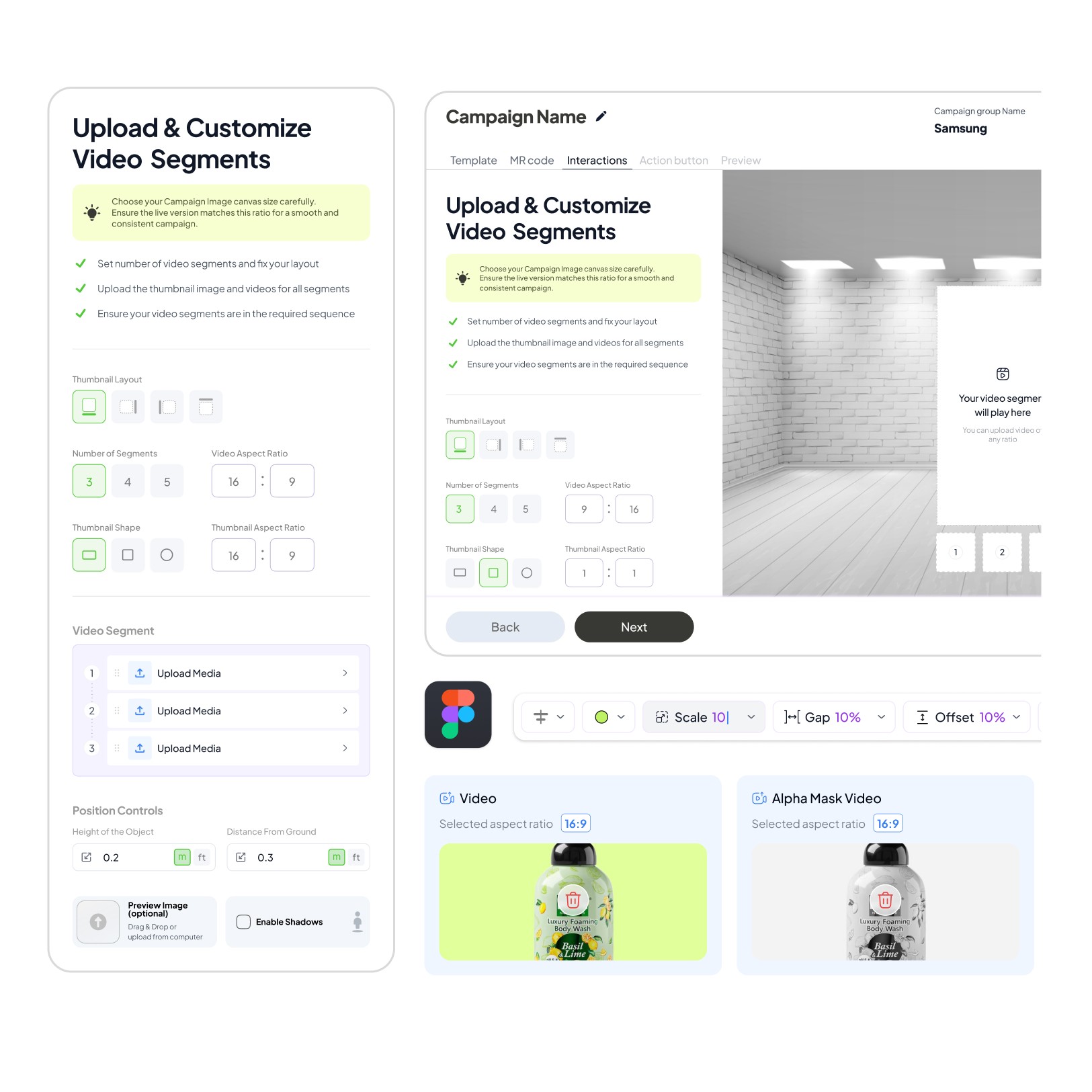
Figma Designs
Campaign Creation Tool
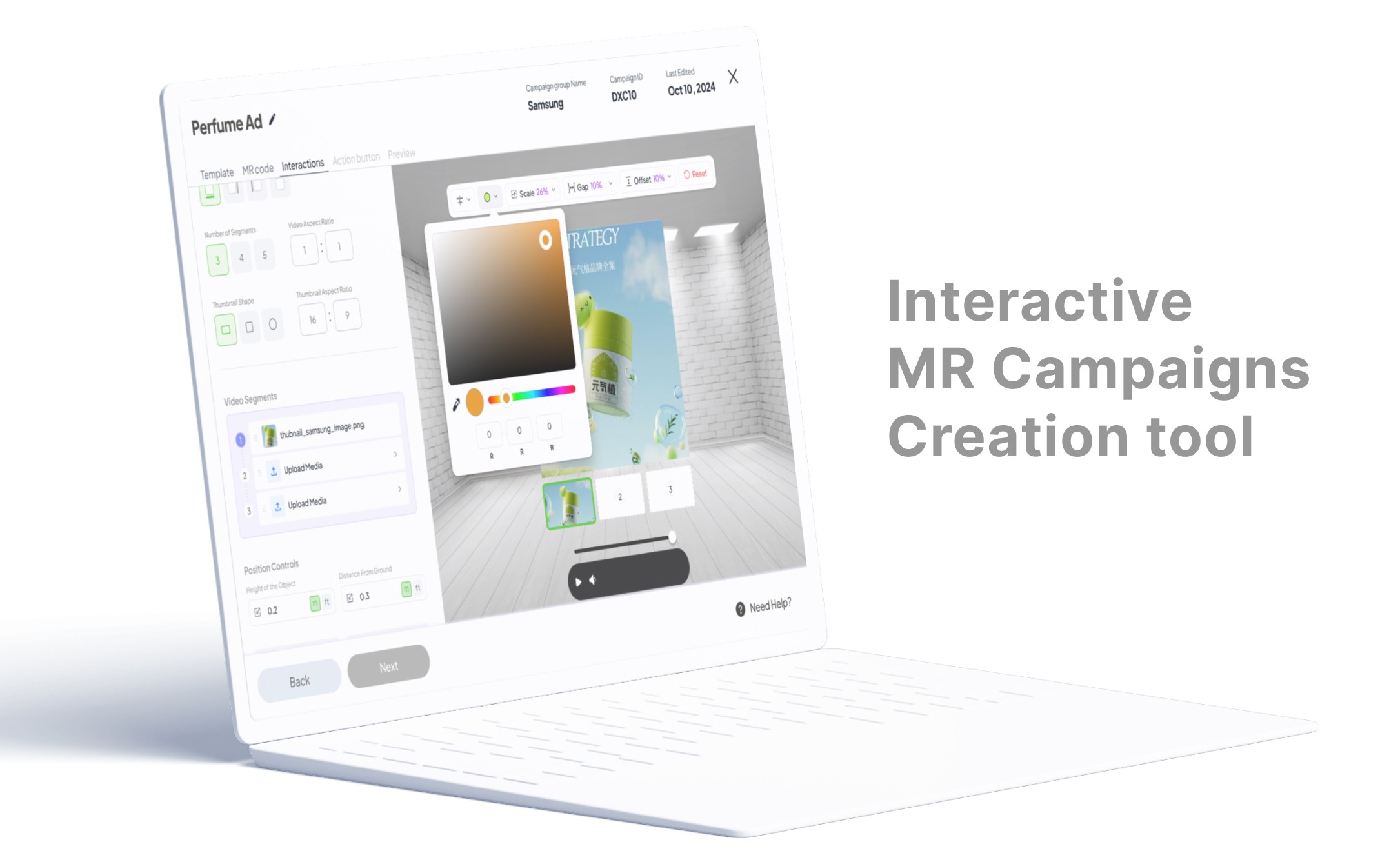
SEE IT IN ACTION
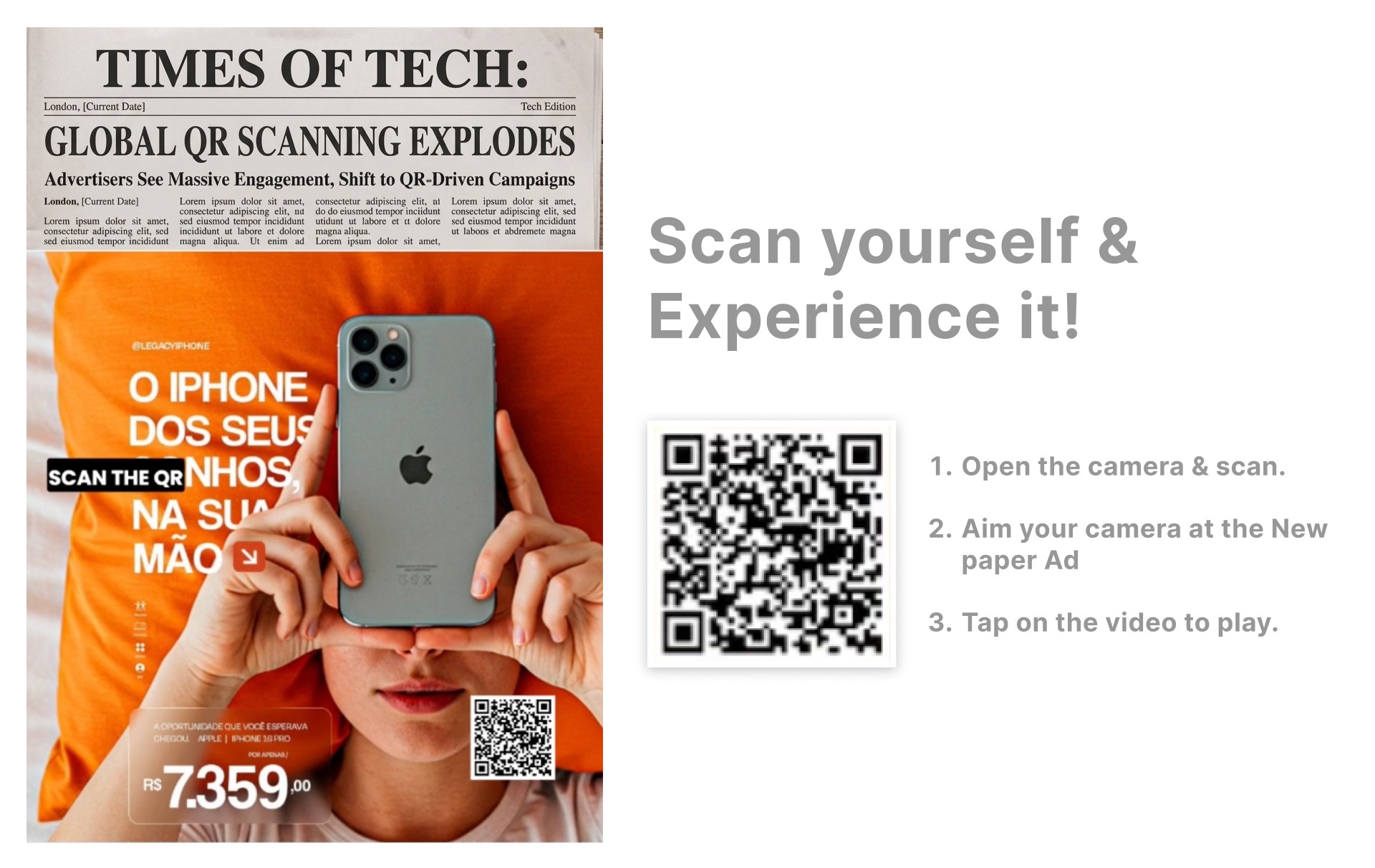
Screen recording — full creation flow from empty state to published campaign. Followed by a real phone scan showing interactive choices in spatial view.
Scan to seein real
Open your Phone & Scan - Experience it
3×
longer session time vs
passive video ads
Choice
users engage more when
they decide what to see
Direct
"buy now" tied to exactly
what they watched
PHASE 02 · REBRAND + DESIGN SYSTEM
Building the language before redesigning the product
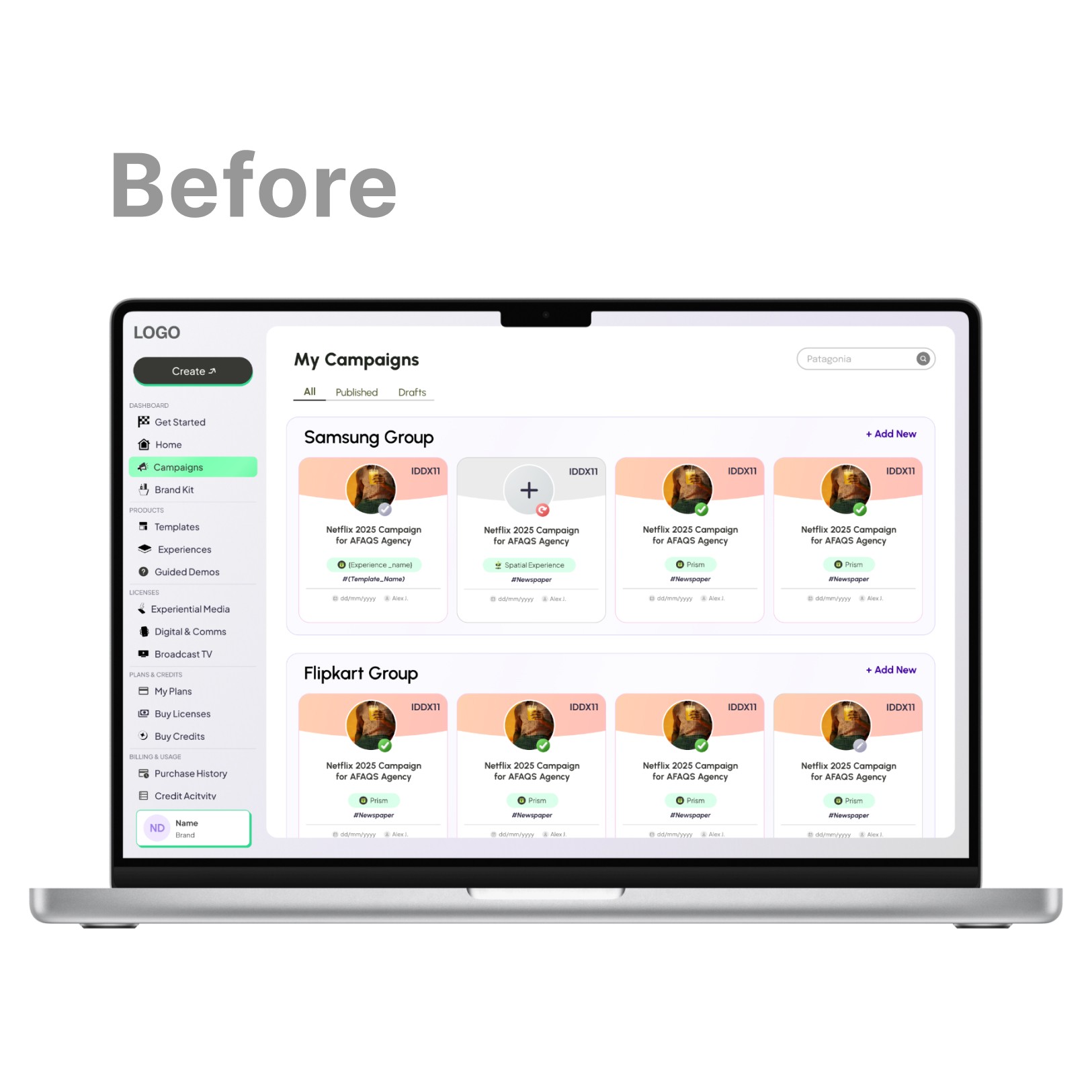
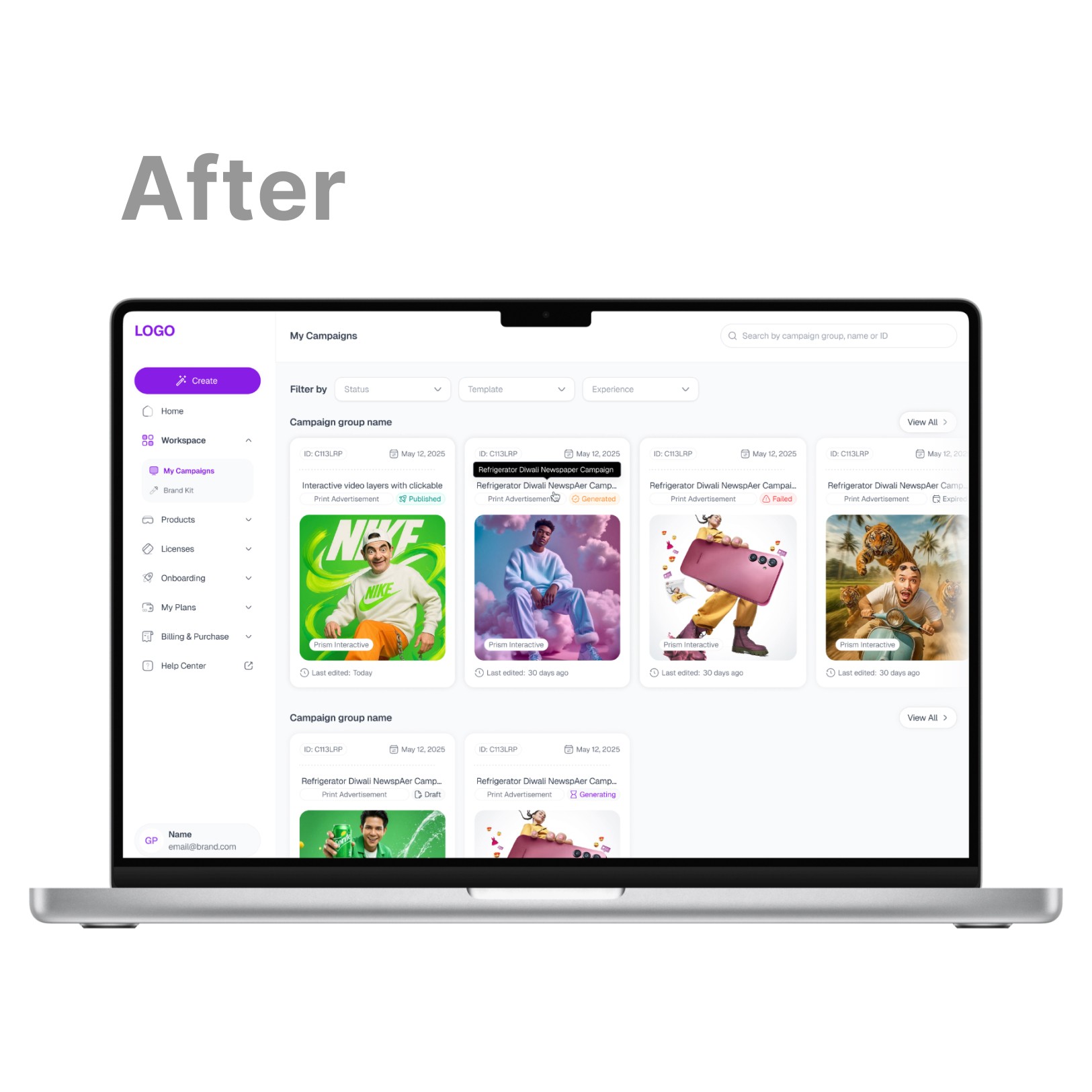
As the web tool matured, the old UI couldn't keep up — dark, heavy, inconsistent. Instead of jumping into redesigning screens, we built the design system first, then redesigned using it. Every component became a screen. Every screen became a system contribution.
THE CHALLENGE
Redesigning a live product while building its system at the same time. Usability issues, aesthetic inconsistency, and messy dev handoff — all solved in one pass. This was the biggest and longest module I personally handled.
HOW THE SYSTEM WAS BUILT
Brand tokens
→
Component library
→
Redesigned screens
→
Dev handoff
01
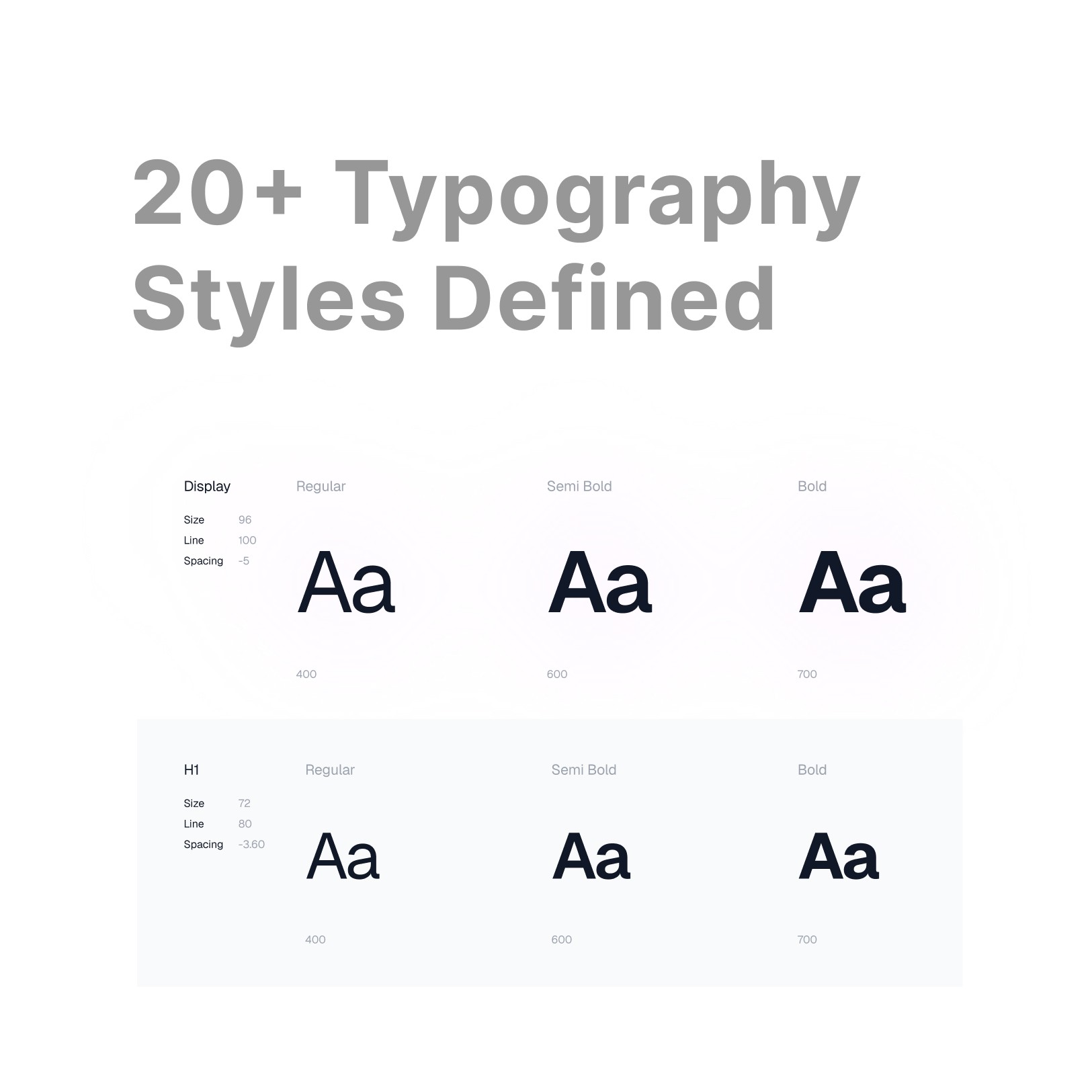
Typography & variables
Set the full type scale, spacing units, and color tokens with semantic naming — so engineers could map them directly without guesswork.
02
Component library — 20+ components
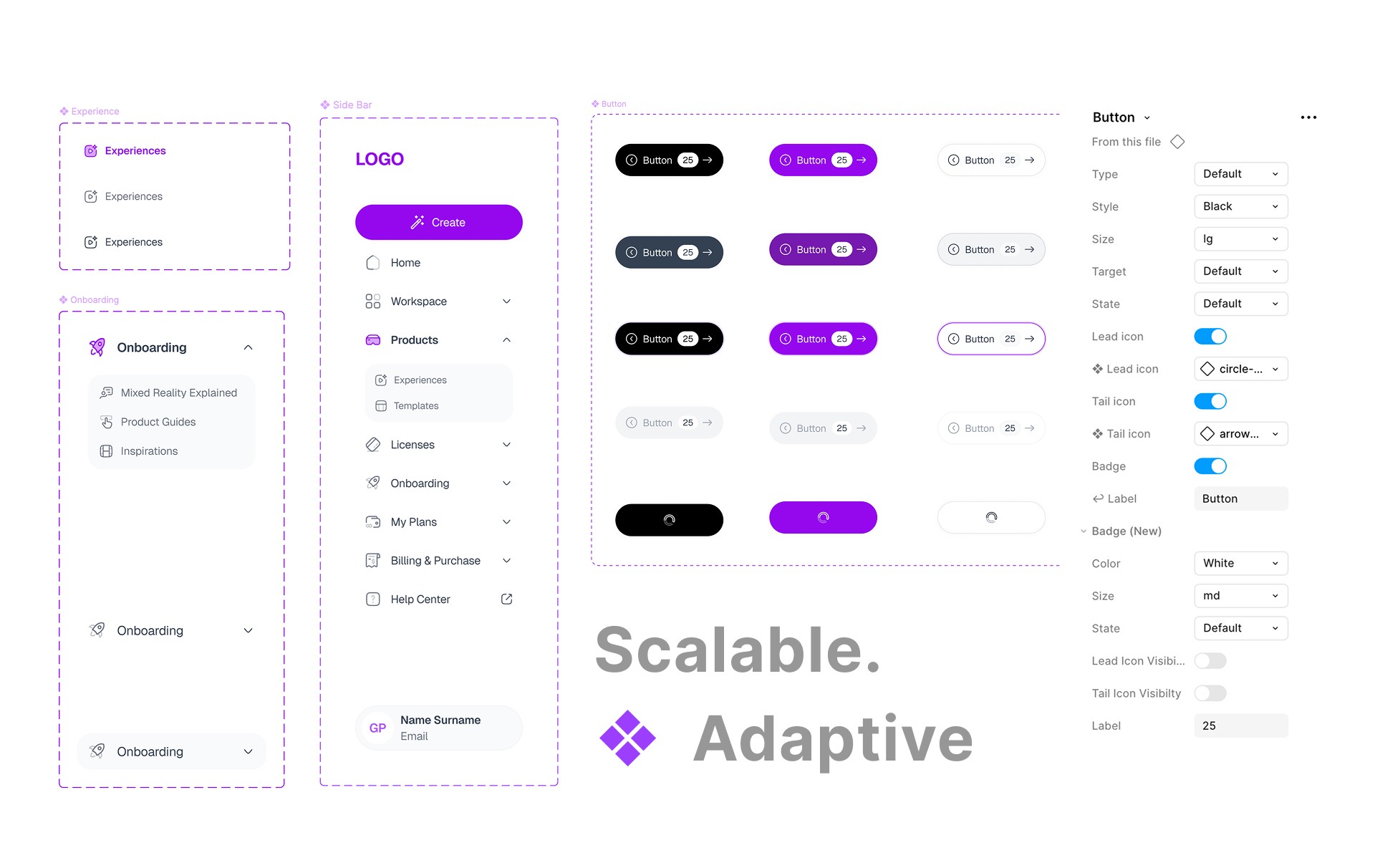
Built from necessary components first. Every component is autolayout-friendly, with all states and variants. Nothing floating, nothing disconnected.
03
Custom MR components
Platform-specific UI patterns that don't exist in standard libraries — designed specifically for Flam's campaign creation flows.
04
Dev handoff optimisation
Clean autolayout, zero detached instances, every layer named. Reduced back-and-forth with engineering significantly.
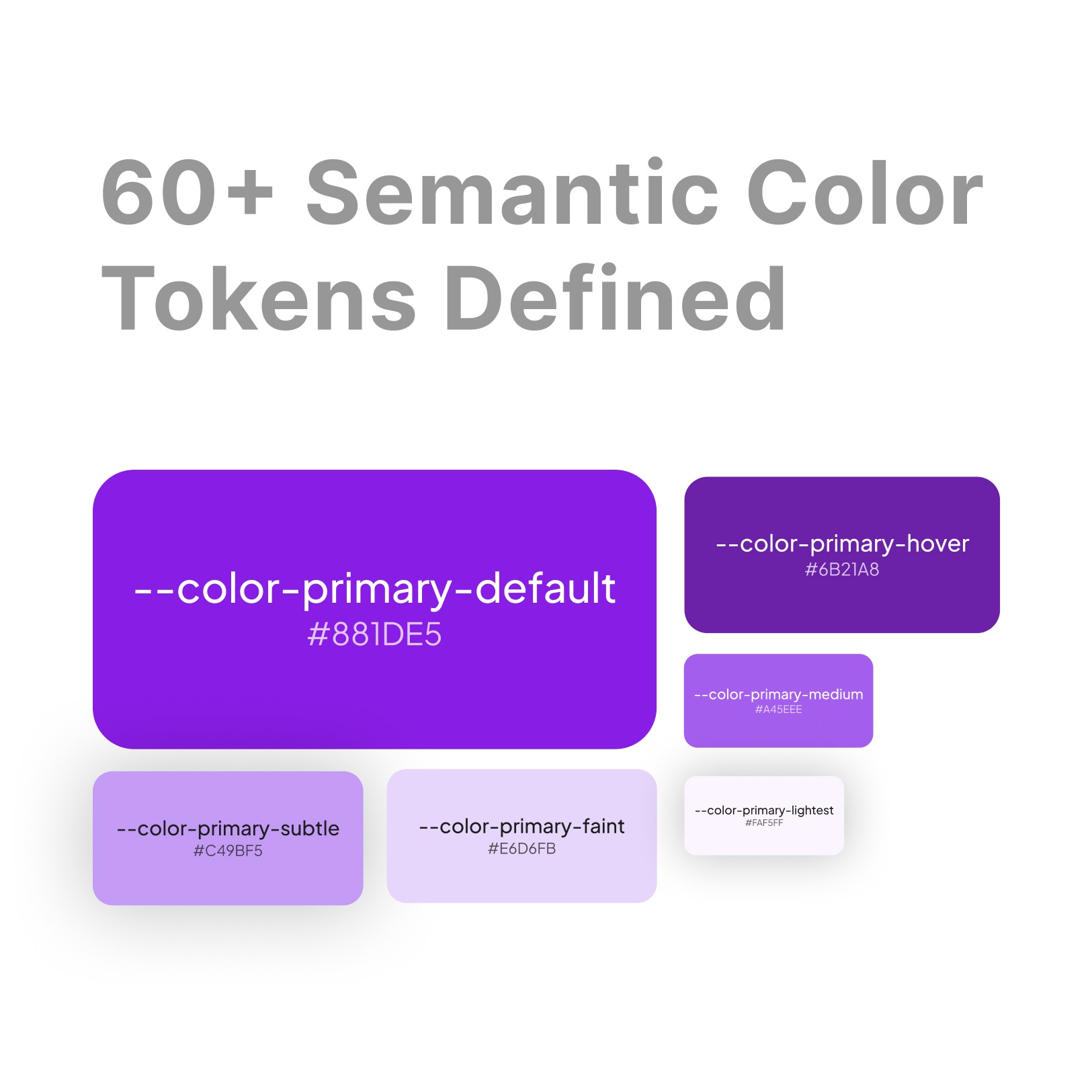
Color tokens page
Component with variants
Color tokens page
THE REDESIGN — BEFORE & AFTER
BEFORE
AFTER
More screens
Dashboard home
🔐 Private view only
Campaign creation
🔐 Private view only
Analytics screen
🔐 Private view only
20+
unique screens
redesigned
20+
design components
built
100%
screens connected to
the Design system
PHASE 03 · RESPONSIVE SCALING
A brand manager opened Flam on a big monitor. It broke.
Standard design stops at 1440px. But Flam's real users — brand managers, agency teams — present on large screens during client meetings. At 2K and 4K, the layout stretched. Empty sidebars. Text too small. A product that looked unfinished exactly when it mattered most.
THE CONSTRAINT
You can't just scale up. Responsive MR platform UI means rethinking spacing, typography, column counts, and component sizing at different breakpoints — without forcing engineering to rebuild everything from scratch.
WHAT DIDN'T WORK
Manual scaling — too slow. Duplicate Figma frames — not scalable. Fixed max-width — layout still felt empty. Tried all three. None worked cleanly.
WHAT WE DID INSTEAD
Figma Variable Modes. Two layout states — Standard (1440px) and Wide (2560px). Spacing, max-widths, column counts all set as variables. Switch the mode — entire platform adapts. One source of truth.
"We tested scaling ratios against every component until we found the proportion that required the fewest dev changes. Then we locked it as wide mode."
BEFORE
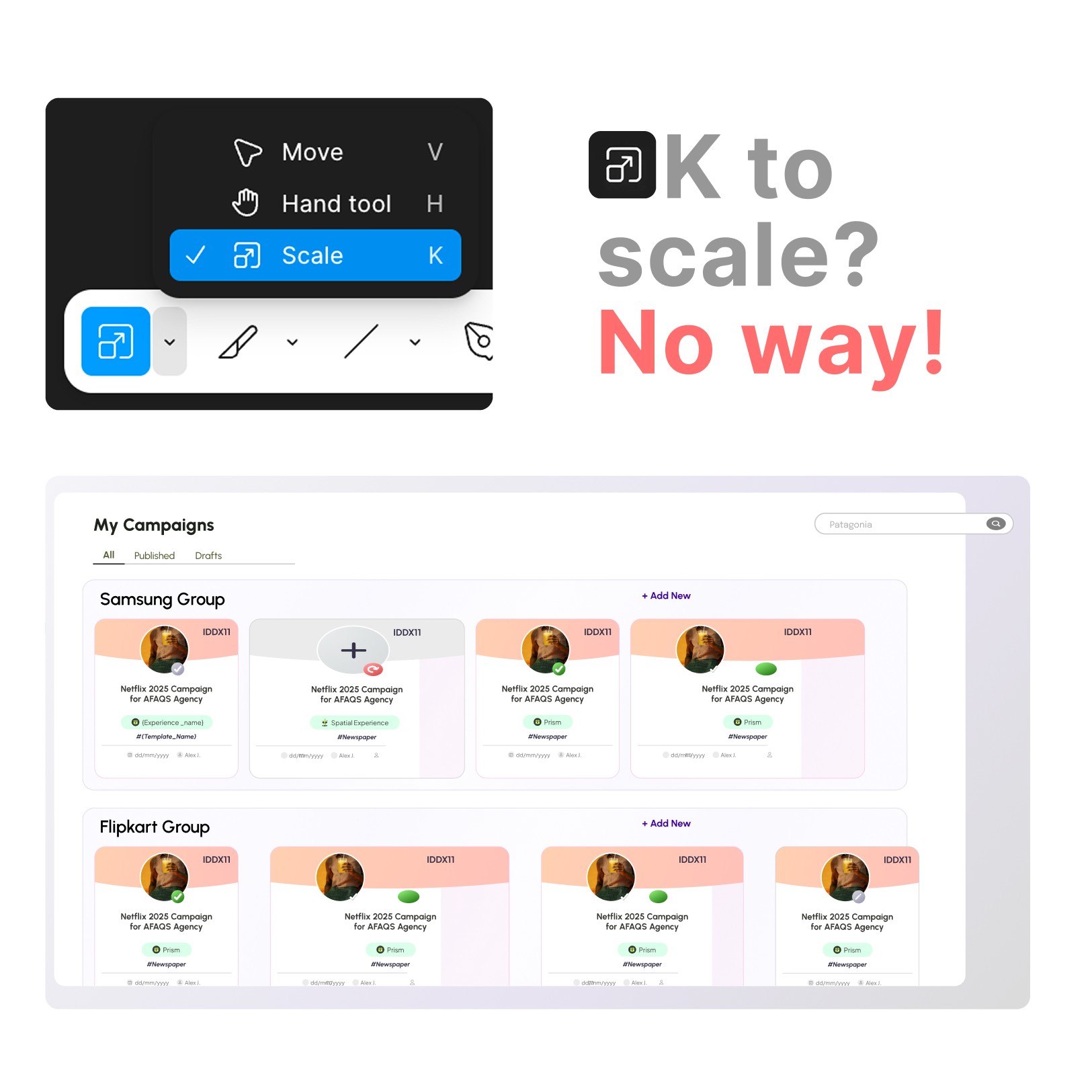
Broken at 2K — old layout
AFTER
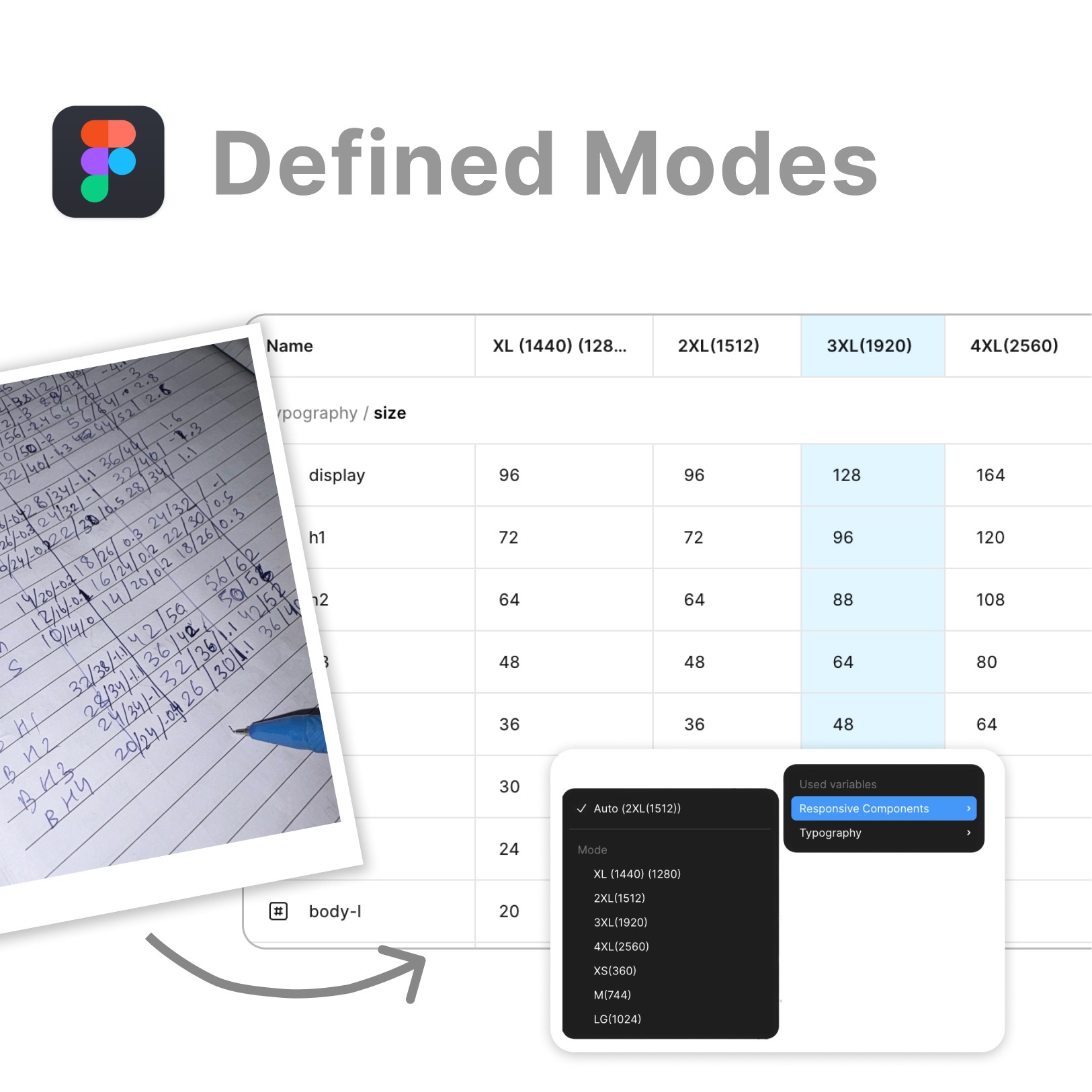
Fixed — Variable Mode switched
Variable Modes setup
0
manual screen duplicates needed
2560px
max display designed —
same Figma file
WHAT I LEARNED
Real ownership looks different from school.
I wasn't handed tasks. I found problems, proposed solutions, and shipped them. That's the kind of designer I want to keep being.
Build system and redesign at the same time
It was hard. But it forced every design decision to be systematic. If a component can't fit the system, rethink the design — not the system.
Test with real users before building in Figma
I had the research insight early on the 3-step flow — but still designed first and validated after. The prototype should come before the pixels.
Responsive is a design problem, not just dev
Discovering the 2K problem late taught me to design for the full range of contexts from day one — not just the default 1440px frame.
Ownership means handling the unglamorous stuff too
Bugs, broken variants, misaligned components in handoff — personally fixed all of it. That level of care is what makes a system actually usable for engineering.
Back